How to export couriers consignment file
Last updated: April 23rd, 2024
In this article:
How to export couriers consignment file
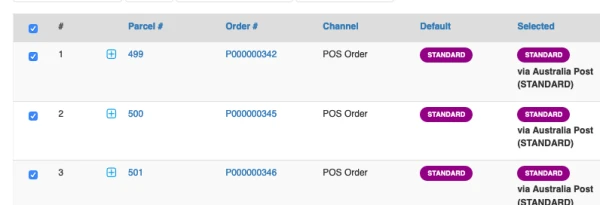
- From the Shipment Batch Parcel List screen, click on "-All parcels-" dropdown list to select the shipping method type you want to export the consignment file and click "Search".

Note: Result table column “Selected” shows the Courier Company to be used for delivering the parcel. The courier company is automatically selected based on the lowest rate.

- Select parcels you want to export. (Tick on check box)
- To export Consignment, click Export Consignment drop down list and select **Consignment File Format ** matching the Courier.
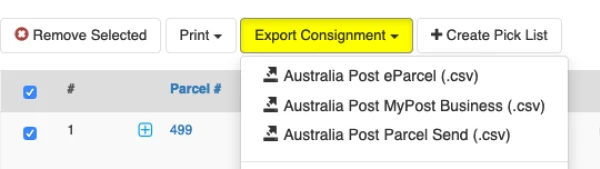
Note: File format are base on the setting of Couriers, See How to set Consignment file format for Courier
- A Consignment file in CVS format is generated.
The CVS file can be used to import to the courier company website to generate consignment.
How to set Consignment file format for Courier
-
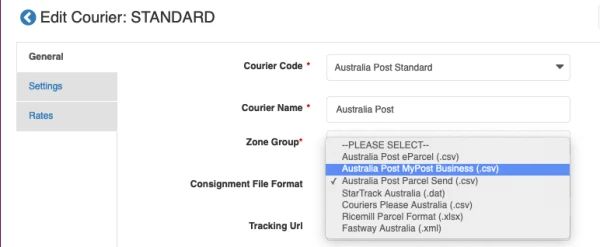
Go to Settings > Couriers and Rates
-
Select the courier and click on edit button

-
On General tab, select the file format from "Consignment File Format" drop down list