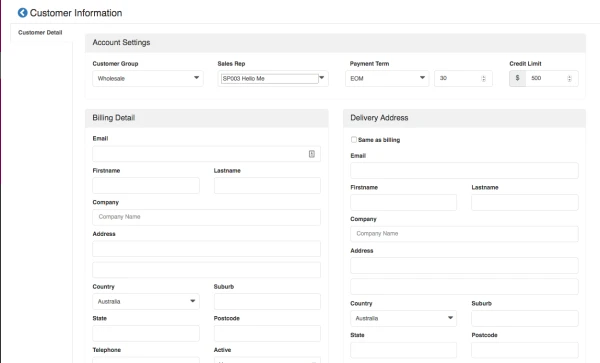
How to set customer group, sales rep and credit limit
Last updated: April 23rd, 2024
In this article:
How to set customer group, sales rep and credit limit
With Wholesale module enable only.
Step 1: Create New Customer
- Go to Sales > Customers
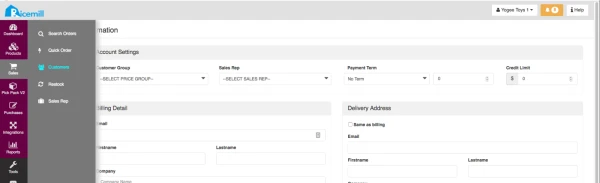
- Then click on "Create New" button.
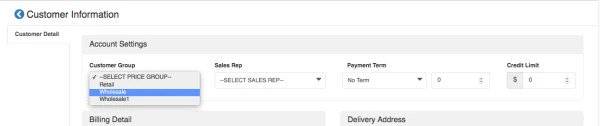
Step 2: Select customer group
- Select the customer group of the customer, this will decide the price group of your customer
Step 3: Select Sales Rep (Optional)
- Select the sales rep for your customer

Step 4: Set Customer Payment term and Credit limit (Optional)
- Select your customer payment term and Credit limit

Step 5: Enter Customer billing and shipping address