How to bulk update product quantity via csv import
Last updated: April 19th, 2024
In this article:
How to bulk update product quantity via csv import?
Step 1:
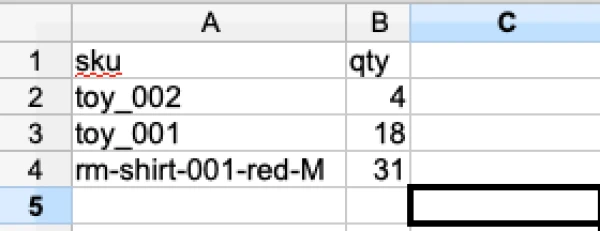
- Create csv file with only 'sku' and 'qty'.
Download sample import csv file
Only create header with 'sku' and 'qty', do not add any other field in header with empty value, else existing data will be replace with empty value.
Step 2:
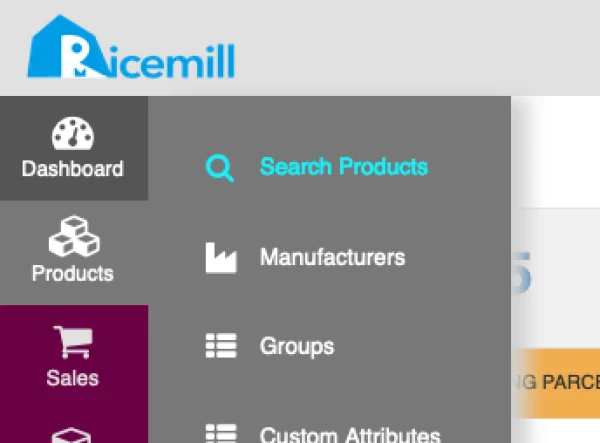
- Go to Products > Search Products
Step 3:
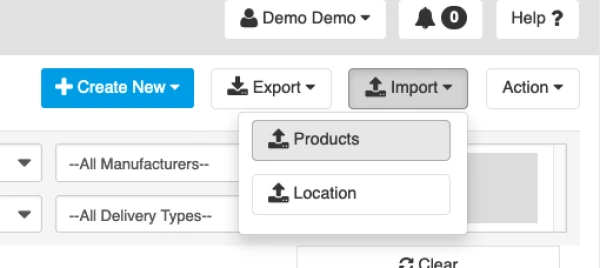
- Click on 'Import' > 'Product'
Step 4:
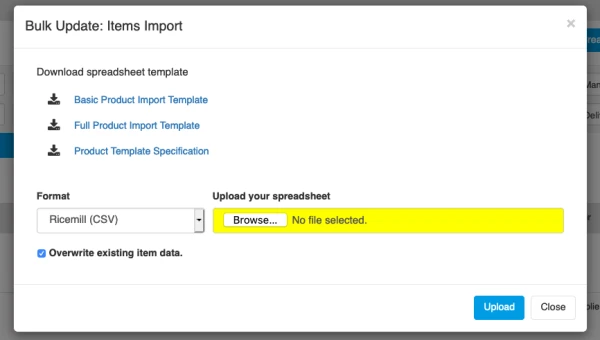
- Select 'Ricemill (CSV)' format
- click on 'Overwrite existing item data'
- upload the csv file create in step 1 and click 'Upload'