How to create Advanced Configurable product
Last updated: April 19th, 2024
In this article:
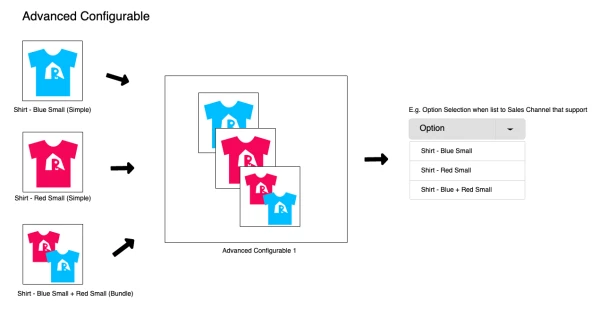
How to create Advanced Configurable product.
Available for Pro plan only
Step 1
- Go to Products > Search Products
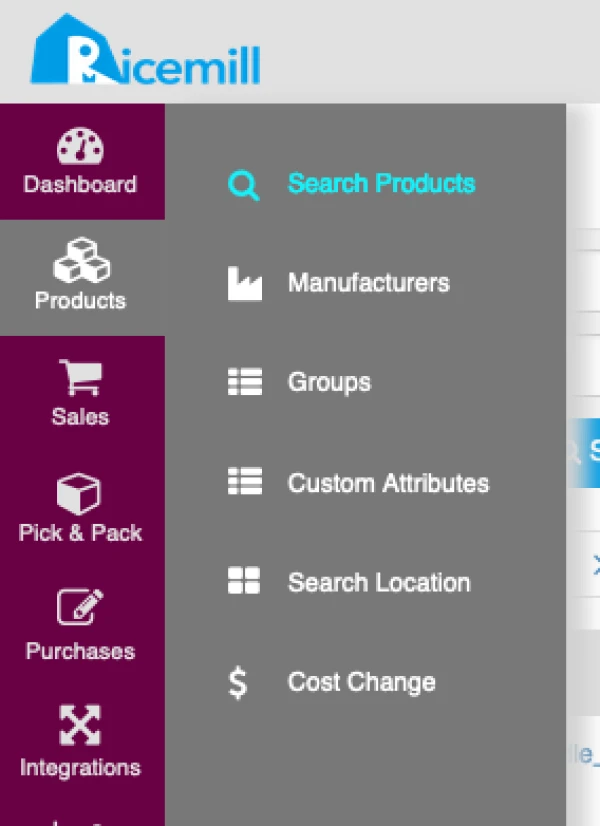
Step 2
- Click on "Create New" > Advanced configurable
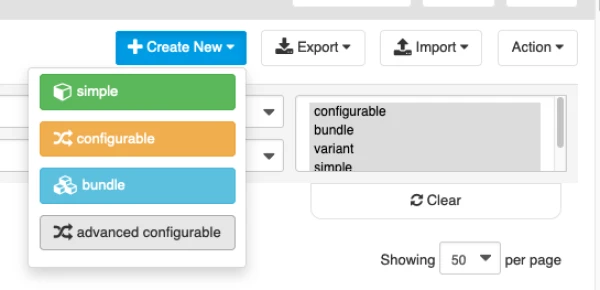
Step 3
- Fill in product details and click on "Save"
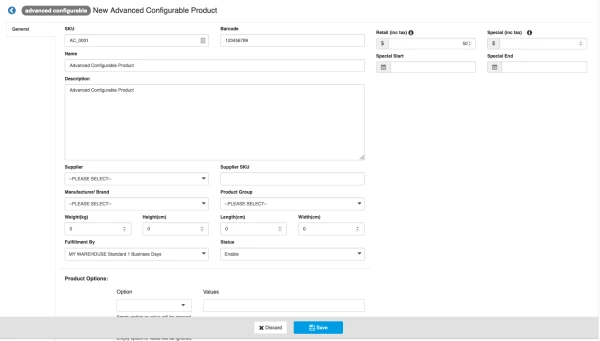
How to Add product option
-
Add option like "Colour", "Size", "Type"...For example you are selling T-Shirt with different "Size" and "Colour", you can add options "Size" and "Colour"
-
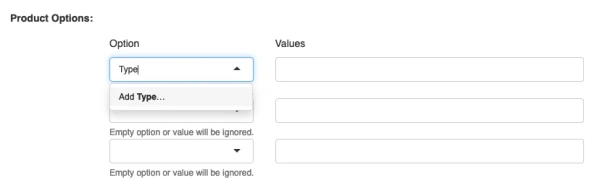
Enter the option name and click on "Add ..."
-
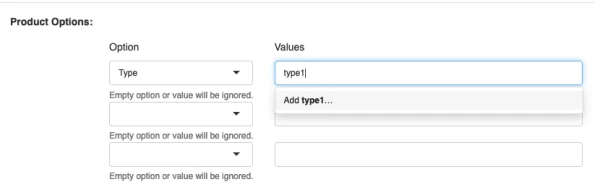
Enter the option value and click on "Add ...", repeat for extra value
Step 4
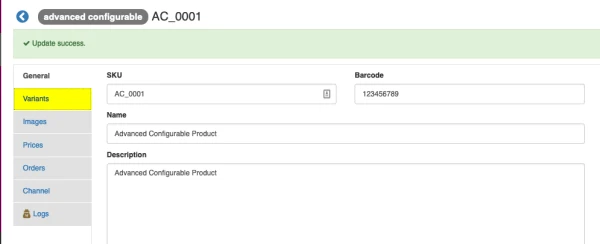
- Click on "Variants" tab
Step 5
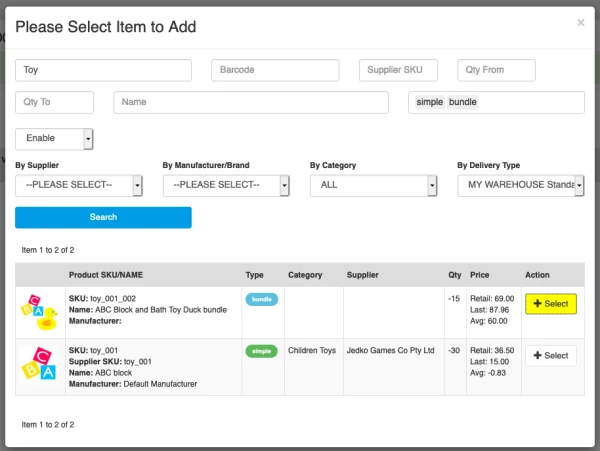
- Click on "Add Variant" button

- Search the item you want to add, and click on "+Select" button to add the item as variant
Step 6
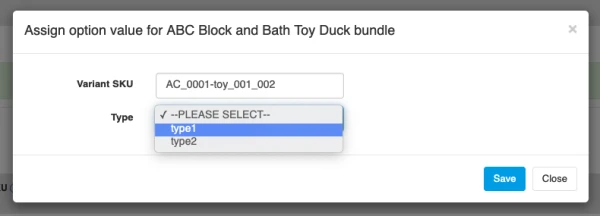
- Enter variant SKU. (Suggest to use the SKU auto populate). Variant SKU has to be unique.
- Select the option value for variant.
- Click on "Save"
Step 7
- Repeat Step 4 to Step 6 to add extra variant item.
