How to import Bundle Products using CSV
Last updated: April 19th, 2024
In this article:
How to import Bundle Products using CSV
Step 1:
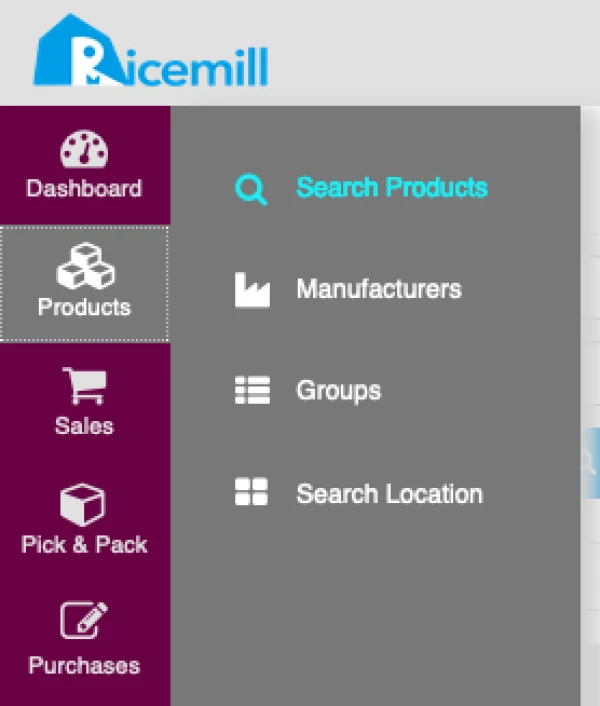
- Go to Products -> Search Products
Step 2:
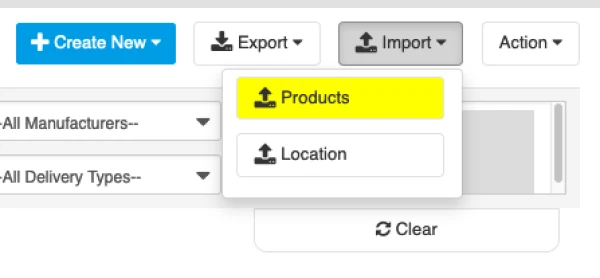
- Click on Import -> Products
Step 3:
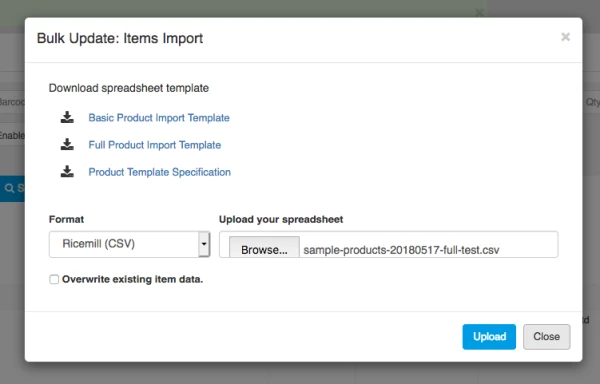
- Select the file you want to import and click on "Upload".
Warning: If you choose "Overwrite existing item data", it will Overwrite your existing item.
Bundle Product CSV Specification
You can download sample file below:
Fields for Parent:
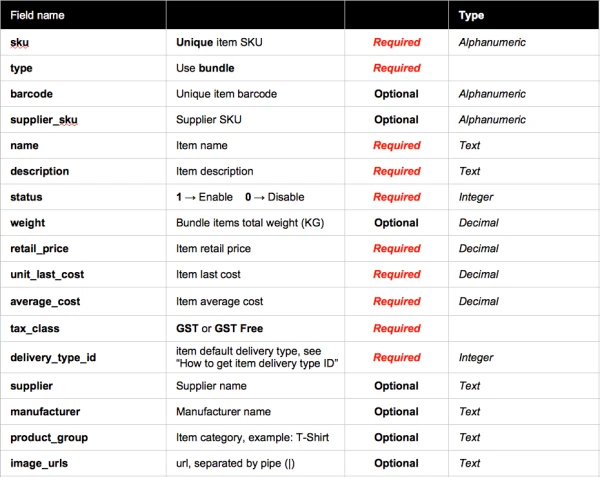
Required fields for Bundle item:
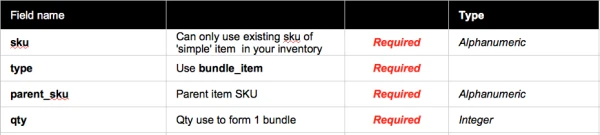
Image URL Example:
https://yoururl/image1.jpg | https://yoururl/image2.jpg
How to group Child(bundle_item) to Parent (bundle)
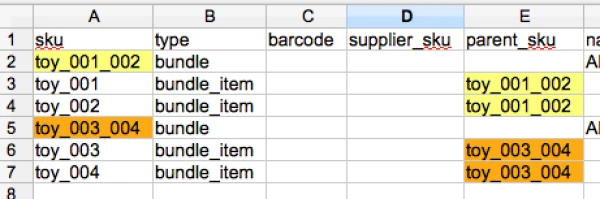
- Always enter a bundle row first, then followed by its children rows (bundle_item).
- Make sure the Child (bundle_item) parent_sku is matched with Parent(bundle) SKU (see above image).
Example:

From data above:
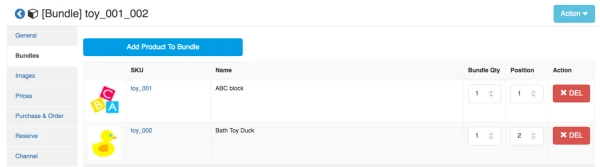
- toy_001_002 is bundle that require qty 1 x toy_001 and qty 1 x toy_002 to form 1 x bundle of "toy_001_002"
- see below image how it show in product view page.