How do I unpick items from pick list
Last updated: April 23rd, 2024
In this article:
How do I unpick items from pick list
- Go to Pick & Pack -> Picking
- Locate the pick list using Parcel #.
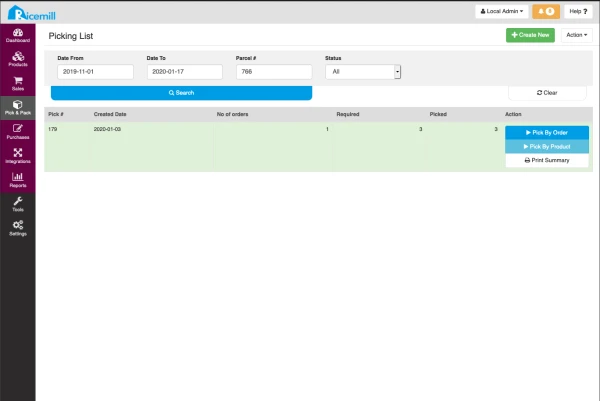
- Click Pick By Order
- Click Show All (Top right corner)
- Click the - to unpick the item.
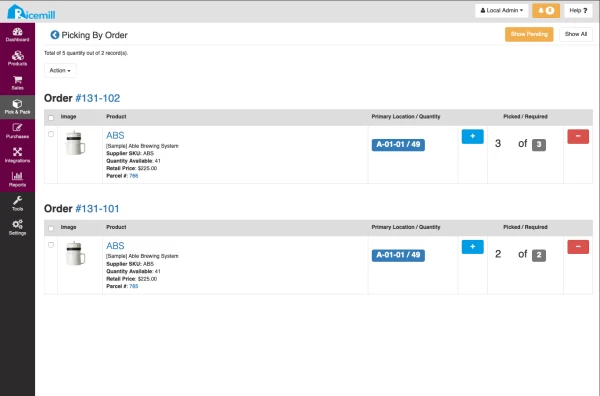
- Repeat for next item.