How to pack an order?
Last updated: April 19th, 2024
In this article:
How to pack an order (Video)
How to pack an order?
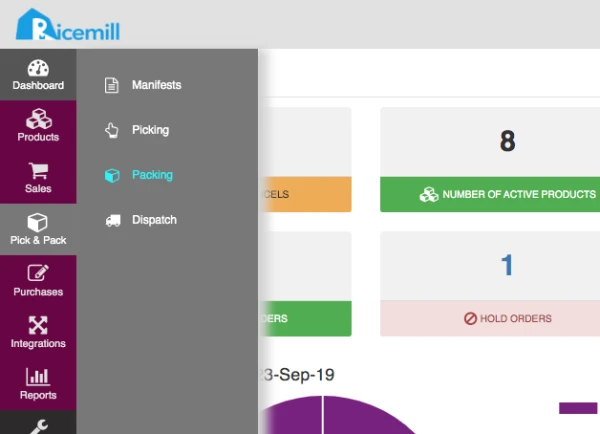
Step 1
- Click Pick & Pack to expand, and then click Packing.
Step 2:
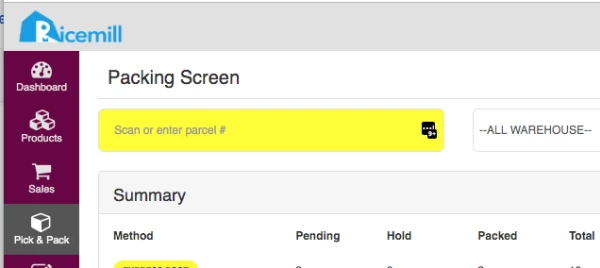
- Scan or enter the barcode of the parcel to be packed (from the Packing Slip), then click
Step 3:
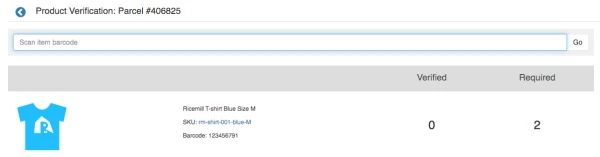
- The Verify Item screen appears and all the items for the selected parcel are listed.
- Picked up the product and scan or manually enter its product barcode to verify the product.
- Repeat Step 3 for all the products on the list.
Step 4:
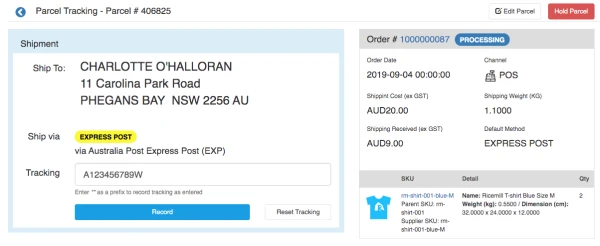
- Once all products have been verified, the Packing Tracking screen appears.
- Enter the Tracking number and click "Record".
- The parcel is now ready to be dispatched.