How to format "Date" in XLSX using Microsoft Excel
Last updated: April 29th, 2024
In this article:
How to format "Date" in XLSX using Microsoft Excel
Step 1:
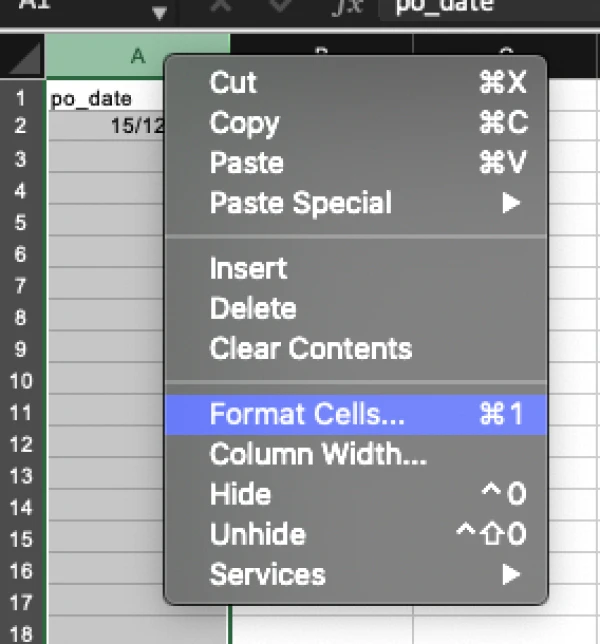
- Highlight the date column, right click on highlight and select "Format Cells"
Step 2:
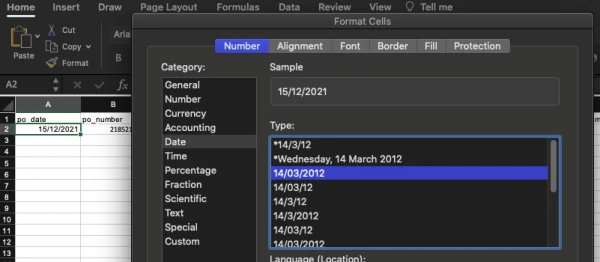
- Select "Date" and format it to "DD/MM/YYYY"