How to get eBay item id
Last updated: April 26th, 2024
In this article:
How to get eBay item id
Step 1:

- Login to your ebay account.

- Click on "Listings" on the menu.
Step 2:
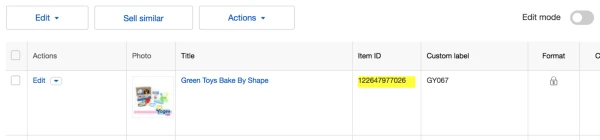
- You can find the ebay item id under "Item ID" of the item list.
If "Item ID" field not show, you can add it using step below:

- Click on "Customise"
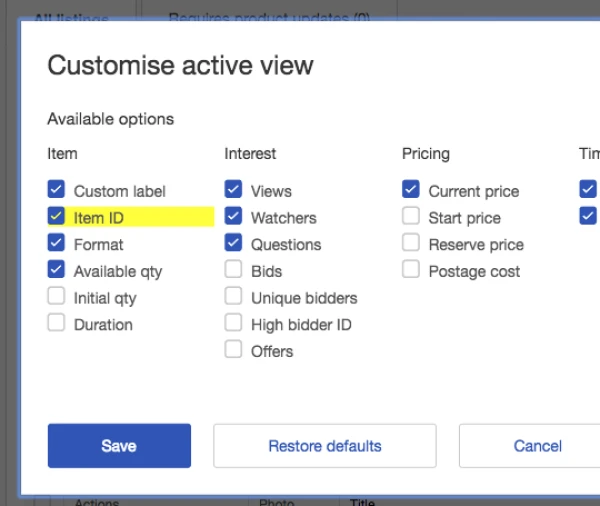
- Select "Item ID" and Save.