How to get MyPost Business Merchant Token.
Last updated: April 24th, 2024
In this article:
How to get MyPost Business Merchant Token.
Please visit the MyPost Business website to create an account if you don't have a MyPost Business account.
Step 1:
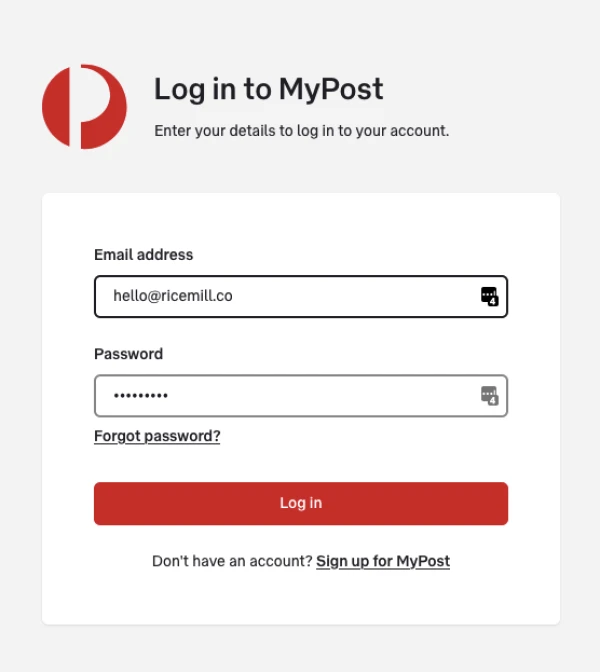
- Log in to the MyPost Business website
Step 2:
-
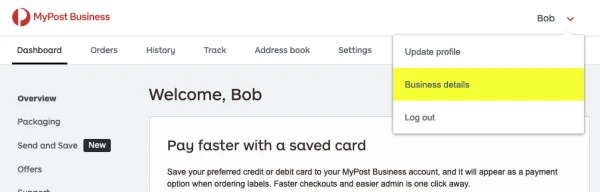
Click on the downward arrow next to your name in the top right-hand corner.
-
Select "Business details" from the dropdown menu
Step 3:
-
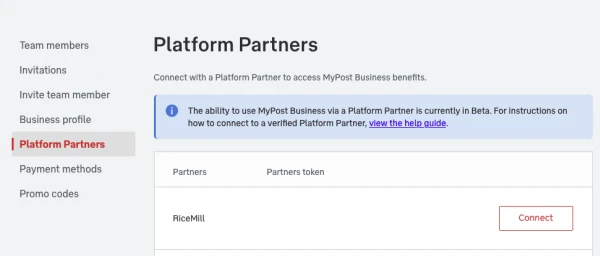
Click on "Platform Partners" from the left menu.
-
Then find "Ricemill" from the list on the right-hand side and click the "Connect" button
Step 4:
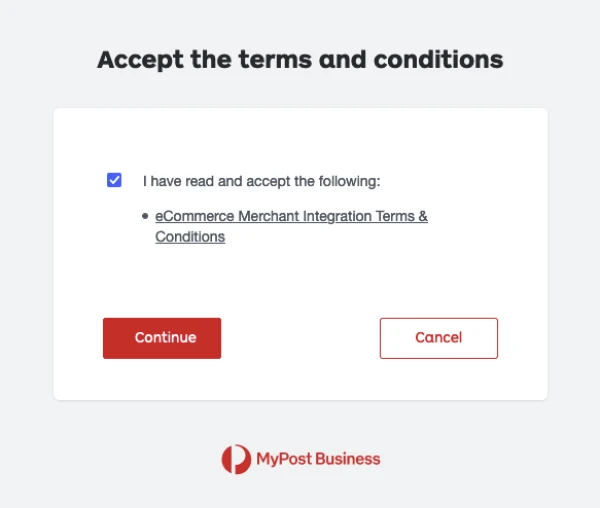
- Review and accept terms and conditions
Step 5:
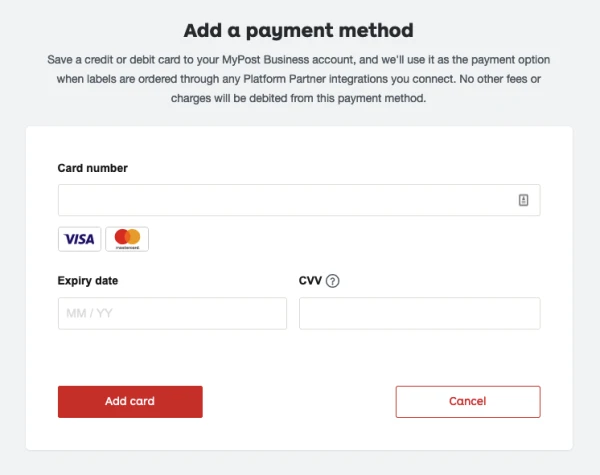
Australia post uses it as the payment option when labels are ordered through Ricemill.
- Enter your credit card details.
Step 6:
-
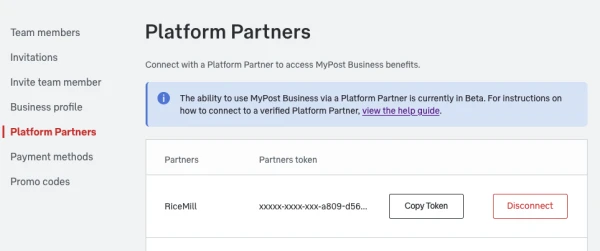
You should now see a button called "Copy Token".
-
Copy the token and contact Ricemill Support team to complete the MyPost Business Integration Setup.